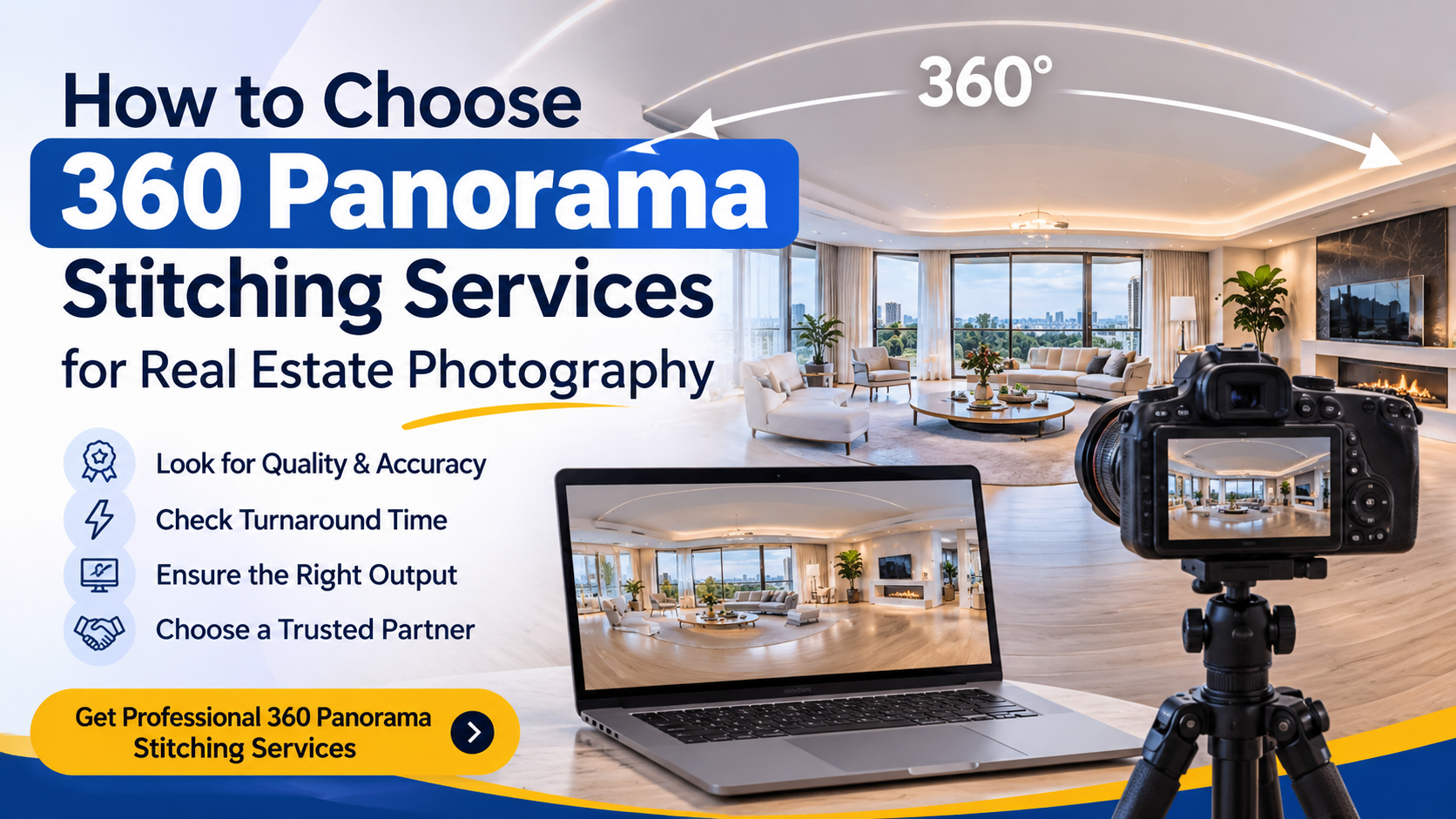
How to Choose 360 Panorama Stitching Services for Real Estate Photography
Real estate photographers need more than attractive property photographs. Today’s property marketing also requires immersive visuals that allow prospective buyers, tenants and clients to explore spaces from different viewing angles.
This is where professional 360 panorama stitching services for real estate photographers become valuable.
A professional panorama stitching service combines multiple overlapping photographs into a seamless 360-degree image, correcting alignment, exposure differences, colour inconsistencies and visible stitching errors. The finished panorama can then be used in compatible virtual-tour viewers and interactive property presentations.
However, not every editing provider delivers the same level of quality. Choosing the right panorama editing partner can make a significant difference to your final images, production workflow and client experience.
In this guide, we explain what professional 360 panorama stitching involves, which editing features matter most and how to select the right service for your photography business.
What Are 360 Panorama Stitching Services?
360 panorama stitching is the process of combining multiple photographs captured from different angles into one continuous panoramic image.
Instead of displaying separate photographs, the stitching process creates a unified visual representation of a complete surrounding space.
For real estate photography, this makes it possible for viewers to look around a room, inspect its layout and understand how different areas connect.
Professional 360 panorama editing typically involves:
- Image alignment and seamless stitching.
- Lens distortion and perspective correction.
- HDR exposure blending.
- Colour correction and white balance adjustment.
- Removal of visible stitching errors.
- Nadir and zenith correction.
- Floor and ceiling refinement.
- Equirectangular image preparation.
The final output can be used in compatible virtual-tour platforms, property websites and other interactive 360-degree viewing applications.
Why Do Real Estate Photographers Need Professional 360 Panorama Editing?
Capturing panoramic photographs is only one part of producing a professional virtual-tour experience. The quality of post-processing also determines how natural and consistent the final result looks.
Here are five important reasons to consider professional panorama stitching.
1. Create Seamless and Immersive Property Views
When multiple photographs are combined incorrectly, visible seams, duplicated objects and distorted architectural lines can interrupt the viewing experience.
Professional stitching focuses on creating smooth transitions between individual frames.
This is particularly important in rooms containing:
- Straight walls and doorframes.
- Large windows.
- Kitchen cabinets and countertops.
- Reflective surfaces.
- Furniture positioned close to the camera.
A properly refined panorama helps viewers explore the property without distracting visual interruptions.
2. Maintain Consistent Lighting Across the Entire Panorama
Interior photography often involves challenging lighting conditions.
A room may have bright windows, darker corners and artificial lighting operating simultaneously. Combining images with different exposure levels can create noticeable brightness variations.
HDR panorama editing helps balance multiple exposures to produce a more consistent image.
A professional HDR workflow can help:
- Recover usable window details.
- Balance shadows and highlights.
- Maintain natural interior colours.
- Reduce visible exposure transitions.
- Create a more consistent appearance across the panorama.
3. Improve the Presentation of Property Interiors
A virtual-tour image should represent the space naturally.
Incorrect stitching can make furniture appear duplicated, walls look distorted or objects seem disconnected.
Careful alignment, blending and correction help maintain visual continuity throughout the room.
4. Handle Larger Photography Projects Efficiently
Photographers working with multiple properties may need dozens or hundreds of panoramic images processed regularly.
Outsourcing post-production can help reduce the amount of time spent on repetitive editing tasks.
Instead of managing every stitching requirement internally, photography studios can work with an external editing team and focus more on capturing images, managing clients and growing their business.
5. Maintain Consistent Editing Quality
When a photography business handles multiple properties, consistency matters.
Images should maintain similar colour balance, exposure, sharpness and overall presentation.
Working with an established editing workflow can help maintain consistent output across recurring projects.
7 Important Features to Look for in a Professional 360 Panorama Stitching Service
Choosing a panorama editing company should involve more than comparing prices.
Before selecting a service provider, evaluate these seven important factors.
1. Seamless Image Alignment
Accurate image alignment is the foundation of professional panorama stitching.
Check whether the editing provider can handle overlapping photographs without creating visible gaps, broken architectural lines or duplicated objects.
Pay particular attention to doorframes, windows, furniture edges and other objects with straight boundaries.
2. Professional HDR Blending
If your photography involves interiors with bright windows and dark areas, HDR editing is an important requirement.
Ask whether the service provider can process bracketed exposures and balance highlights and shadows across the complete panorama.
The goal should be natural-looking lighting rather than excessive brightness or artificial-looking colours.
3. Nadir and Zenith Correction
The nadir refers to the bottom portion of a spherical panorama, while the zenith refers to its top portion.
These areas may reveal tripod equipment, floor imperfections, ceiling details or stitching problems.
For professional 360-degree panoramas, ask whether the provider can refine both areas when required.
This is especially relevant for real estate interiors and aerial panorama projects.
4. Natural Colour Correction
Colour inconsistencies can become particularly noticeable when several photographs are stitched together.
A professional editing workflow should maintain consistent white balance, colour temperature and exposure across the complete image.
Walls, floors, furniture and other interior elements should look natural rather than showing sudden colour changes between frames.
5. Correct Output Formats
Before ordering, confirm that the provider can supply the format required by your intended viewing platform.
Common delivery options include:
- JPEG for many web-based viewing workflows.
- TIFF for workflows requiring a high-quality image master.
- Equirectangular panoramas for compatible interactive 360-degree viewers.
Always confirm the required dimensions, projection, file size and upload specifications with your destination platform.
6. Reliable Turnaround Time
For real estate photographers and agencies, delivery time can influence the entire project schedule.
Ask about:
- Standard editing turnaround.
- Bulk-order processing.
- Weekend or urgent-order availability.
- Revision handling.
- Delivery and file-transfer methods.
A clear production schedule helps you plan property deliveries and client commitments more effectively.
7. Quality Control Before Delivery
A finished panorama should be checked before it reaches your client.
A useful quality-control process includes reviewing:
- Visible seams and alignment.
- Ghosting and duplicated objects.
- Exposure inconsistencies.
- Colour variations.
- Floor and ceiling areas.
- Overall image sharpness.
- Final output compatibility.
Request sample images to evaluate the actual editing quality before placing a large order.
Common Problems in 360 Panorama Stitching and How to Avoid Them
Even when photographs are captured carefully, panorama editing can present several challenges.
Understanding these issues helps photographers communicate their requirements more effectively.
Visible Stitching Lines
Problem: Individual photographs do not blend smoothly, creating visible boundaries.
Solution: Review image alignment, overlapping details and blending transitions. Manual refinement may be necessary for difficult architectural scenes.
Ghosting and Duplicated Objects
Problem: Moving people, furniture or other objects appear duplicated or partially transparent.
Solution: Identify movement in the source sequence and select suitable frames or use appropriate masking and retouching techniques.
Uneven Exposure
Problem: Different sections of the panorama appear too bright or too dark.
Solution: Use appropriate HDR blending and consistent exposure and colour adjustments.
Distorted Architectural Lines
Problem: Walls, doorframes and other straight structures appear bent or disconnected.
Solution: Review alignment and projection settings, and refine problematic areas during post-production.
Poor Floor and Ceiling Finishing
Problem: Tripods, camera equipment or incomplete areas remain visible.
Solution: Apply suitable nadir and zenith correction, including floor and ceiling cleanup where required.
The most important point is that post-production has limitations. Missing source frames, severe movement and inadequate image coverage may require a new capture rather than additional editing.
How Does a Professional 360 Panorama Stitching Workflow Work?
A reliable panorama editing workflow should be simple, organised and easy to follow.
Here is how a typical outsourced workflow can operate.
Step 1: Upload Your Original Photographs
Send the original overlapping photographs or bracketed HDR image sequences.
Organise the files according to individual rooms, viewpoints or property locations.
Step 2: Image Stitching and Editing
The editing team aligns the photographs and combines them into a continuous panorama.
Additional adjustments may include HDR blending, exposure correction, colour matching and stitching refinement.
Step 3: Quality Inspection
The completed panorama should be reviewed for visible seams, ghosting, inconsistent exposure and other image defects.
Any agreed correction requirements should be addressed before delivery.
Step 4: Final Image Delivery
Receive the completed panorama in the agreed file format and resolution.
Confirm that the output meets the requirements of your intended virtual-tour platform.
What Should You Send to a Panorama Editing Company?
Preparing your source files properly can make the editing process smoother.
Before submitting an order, prepare the following:
| Requirement | What to provide |
|---|---|
| Original photographs | Complete overlapping image sequence |
| HDR exposures | All bracketed exposures, if applicable |
| Camera information | Camera and lens details, when available |
| Room identification | Separate folders for each viewpoint |
| Editing instructions | Special requirements and cleanup areas |
| Output format | Required JPEG or TIFF format |
| Platform information | Intended virtual-tour viewer |
| Project quantity | Total panorama count |
Also inform the editing team about reflections, moving objects, incomplete frames or other capture difficulties.
For larger projects, start with one representative panorama and approve the output before processing the complete batch.
Why Choose ColourCubz for 360 Panorama Stitching Services?
ColourCubz provides professional 360-degree panorama stitching and editing services for real estate photographers, photography studios, drone professionals, hospitality businesses and virtual-tour providers.
The service combines multiple photographs into high-resolution panoramas with attention to image alignment, exposure consistency, colour correction and seamless blending.
The editing capabilities include:
- 360-degree panorama stitching: Combining multiple photographs into continuous panoramic images.
- Real estate panorama editing: Preparing property interiors for virtual-tour workflows.
- HDR panorama blending: Balancing bright windows and darker interior areas.
- Drone panorama stitching: Refining aerial panoramas with nadir and zenith correction.
- Virtual-tour image editing: Preparing panorama images for compatible viewing platforms.
- Equirectangular conversion: Preparing suitable panoramic output for interactive 360-degree viewers.
ColourCubz also highlights its professional editing tools, including PTGui Pro, Adobe Photoshop and Lightroom.
A Simple Four-Step Process
Working with ColourCubz involves four straightforward stages:
- Upload: Share your original multi-shot or bracketed HDR photographs.
- Stitch and edit: The editing team aligns, blends and colour-corrects the images.
- Quality check: Completed panoramas are reviewed for stitching, ghosting and exposure issues.
- Delivery: Receive your finished images in the agreed format.
ColourCubz advertises standard panorama editing turnaround of approximately 12–24 hours, with drone and bulk projects potentially requiring 24–48 hours depending on the order.
A free sample edit is also available so you can assess the editing quality before committing to a larger project.
When Should You Outsource 360 Panorama Editing?
Outsourcing may be particularly useful if:
- You photograph multiple properties every week.
- Your studio handles recurring virtual-tour projects.
- You need HDR panorama editing for interior photography.
- Your team spends too much time on repetitive post-production.
- You need support for aerial or drone panoramas.
- You want to scale your editing capacity without handling every image internally.
However, outsourcing is not automatically the right choice for every photographer. If you produce only occasional panoramas and enjoy handling your own post-production, an in-house workflow may remain practical.
The best decision depends on your workload, required quality, editing costs and delivery commitments.
Frequently Asked Questions About 360 Panorama Stitching Services
1. What is the best 360 panorama stitching service for real estate photographers?
The best service should provide accurate image alignment, natural HDR blending, consistent colour correction, clean nadir and zenith areas, suitable output formats and reliable delivery. Always review sample images before selecting a provider.
2. Can multiple photographs be combined into one 360-degree panorama?
Yes. Multiple overlapping photographs captured around a viewpoint can be aligned and stitched into a continuous panoramic image. The final result depends on source image coverage, overlap, camera positioning and editing quality.
3. What is HDR panorama stitching?
HDR panorama stitching combines bracketed photographs with different exposure levels to produce a panorama with more balanced highlights and shadows. It is particularly useful for interiors containing bright windows and darker spaces.
4. Can drone photographs be used for 360 panorama stitching?
Yes. Suitable aerial image sequences can be stitched into panoramic views. Depending on the capture, editing may include horizon correction and nadir and zenith patching.
5. Which file formats are used for 360-degree panoramas?
JPEG and TIFF are common output options. Equirectangular projection is frequently used for spherical 360-degree images. Always confirm the required specifications with your intended viewer.
6. How long does professional panorama stitching take?
Delivery depends on the number of panoramas, image complexity and editing requirements. ColourCubz advertises typical standard delivery within 12–24 hours, while some drone and bulk orders may require 24–48 hours.
7. Can I test a panorama stitching service before placing a bulk order?
A sample edit is a useful way to evaluate stitching accuracy, exposure balance, colour consistency and overall image quality. ColourCubz offers a free sample edit for prospective customers.
Final Thoughts
Professional 360 panorama stitching is an important part of creating polished virtual-tour images for real estate, hospitality and commercial photography.
Choosing the right editing partner requires attention to more than price. Stitching accuracy, HDR blending, colour consistency, output compatibility, quality control and turnaround time all deserve consideration.
For photographers and studios managing regular panorama projects, outsourcing can provide additional editing capacity and help simplify post-production.
If you are looking for professional 360 panorama stitching services for real estate photography, explore ColourCubz and evaluate the editing quality with a sample image before starting your next project.
Ready to create seamless 360-degree panoramas?
Visit ColourCubz 360 Degree Panorama Stitching Services and request your free sample edit today.