
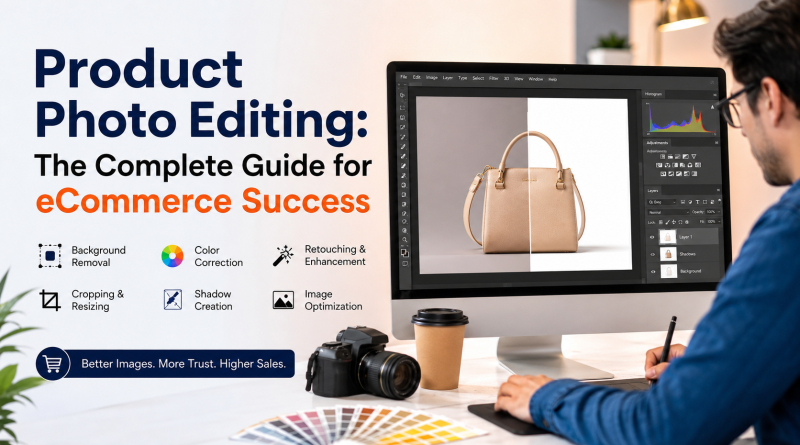
Product Photo Editing: The Complete Guide for eCommerce Success
Introduction
In the world of eCommerce, customers cannot touch, feel, or test your products before purchasing. Their buying decision depends almost entirely on what they see online. That’s why product photography is one of the most influential factors in determining whether a visitor becomes a customer. However, taking a great photo is only the beginning. Professional product photo editing transforms ordinary product images into high-quality visuals that inspire confidence, showcase every detail, and increase conversions.
Whether you sell on Amazon, Shopify, Etsy, WooCommerce, eBay, Walmart Marketplace, Flipkart, or your own online store, professionally edited product images help your products stand out in an increasingly competitive digital marketplace.
This comprehensive guide explains everything you need to know about product photo editing, including its importance, editing techniques, workflow, benefits, best practices, common mistakes, and how choosing the right editing partner can contribute to long-term eCommerce success.
What is Product Photo Editing?
Product photo editing is the process of improving product photographs after they have been captured. Using professional editing software and advanced retouching techniques, editors enhance image quality while maintaining an accurate representation of the product.
The primary goal is not to change the product but to present it in the most appealing and professional way possible. Editing removes distractions, corrects lighting, enhances colors, improves clarity, and prepares images for websites, marketplaces, catalogs, social media, and advertisements.
Professional product photo editing typically includes:
- Background removal
- White background creation
- Color correction
- Brightness and contrast adjustment
- Exposure correction
- Dust and scratch removal
- Reflection enhancement
- Shadow creation
- Image sharpening
- Ghost mannequin editing
- Image masking
- Clipping path
- Product retouching
- Image resizing
- Web optimization
Why Product Photo Editing is Essential for eCommerce
1. Creates a Powerful First Impression
Research consistently shows that visitors form an opinion about a website within seconds. Product images are usually the first thing customers notice. Poor-quality photographs immediately reduce credibility, while professionally edited images create a positive impression that encourages customers to explore further.
Professional editing communicates quality, professionalism, and attention to detail—qualities customers naturally associate with your brand.
2. Builds Customer Trust
Customers expect the product they receive to match what they see online.
Professional editing ensures:
- Accurate colors
- Consistent lighting
- Clear product details
- Realistic presentation
When customers receive exactly what they expected, satisfaction increases and product returns decrease.
3. Increases Conversion Rates
High-quality images help shoppers visualize ownership.
Professional product images:
- Capture attention
- Keep visitors engaged
- Improve click-through rates
- Increase time spent on product pages
- Encourage purchase decisions
For many online stores, image quality directly impacts sales performance.
4. Strengthens Brand Identity
A consistent visual style across every product creates a stronger brand identity.
Customers notice:
- Similar lighting
- Matching backgrounds
- Consistent angles
- Uniform image quality
These small details create a premium shopping experience.
5. Meets Marketplace Requirements
Many online marketplaces have strict image guidelines.
Professional editors prepare images that comply with platform requirements, helping avoid listing rejections and improving product presentation.
The Complete Product Photo Editing Process
Professional editing involves several stages that ensure every image meets commercial standards.
Step 1: Image Evaluation
Editors first inspect every image for:
- Focus accuracy
- Composition
- Lighting quality
- Background issues
- Product positioning
- Camera imperfections
Images requiring advanced corrections are identified before editing begins.
Step 2: Background Removal
Background removal is one of the most common editing services.
Removing distracting backgrounds allows customers to focus entirely on the product.
Editors may create:
- Pure white backgrounds
- Transparent backgrounds
- Custom-colored backgrounds
- Lifestyle backgrounds
This process often involves clipping paths or AI-assisted masking followed by manual refinement.
Step 3: Color Correction
Different lighting conditions affect product colors.
Professional color correction ensures products appear as they do in real life.
Editors adjust:
- White balance
- Temperature
- Tint
- Saturation
- Hue
- Vibrance
Accurate color representation is especially important for clothing, cosmetics, furniture, home décor, and electronics.
Step 4: Exposure and Lighting Adjustment
Even expensive cameras cannot perfectly capture every lighting condition.
Editors improve:
- Highlights
- Midtones
- Shadows
- Brightness
- Contrast
Balanced lighting creates a clean, professional appearance.
Step 5: Product Retouching
Products often contain small imperfections that distract customers.
Professional retouching removes:
- Dust particles
- Fingerprints
- Packaging marks
- Scratches
- Sensor spots
- Manufacturing residue
The objective is to enhance the image without misleading customers.
Step 6: Shadow Creation
Products floating on a plain white background often look unrealistic.
Professional editors create natural-looking:
- Drop shadows
- Reflection shadows
- Contact shadows
- Soft shadows
Proper shadows add depth and realism while maintaining a clean appearance.
Step 7: Image Sharpening
Sharpening improves image clarity.
Professional sharpening enhances:
- Product edges
- Fine textures
- Surface details
- Fabric patterns
- Jewelry brilliance
The result is a crisp, detailed product image.
Step 8: Cropping and Resizing
Each marketplace has different image requirements.
Editors optimize images for:
- Websites
- Mobile devices
- Social media
- Product catalogs
- Online advertisements
- Marketplaces
Proper dimensions also improve website loading speed.
Advanced Product Photo Editing Techniques
Ghost Mannequin Editing
Popular among fashion retailers, ghost mannequin editing removes the mannequin while preserving the garment’s natural shape.
Benefits include:
- Professional clothing presentation
- Better customer visualization
- Consistent catalog appearance
Jewelry Retouching
Jewelry photography requires specialized editing due to reflective metals and gemstones.
Editors improve:
- Diamond sparkle
- Metal shine
- Reflection control
- Color accuracy
- Fine details
Image Masking
Products with hair, fur, lace, transparent materials, or complex edges require image masking instead of standard clipping paths.
This technique preserves intricate details while producing clean selections.
Reflection Enhancement
Luxury products often benefit from subtle reflection effects that create a premium appearance.
This technique is commonly used for:
- Watches
- Cosmetics
- Electronics
- Perfumes
- Shoes
Color Variant Creation
Instead of photographing every color variation separately, editors digitally create multiple product colors.
This significantly reduces photography costs while speeding up catalog creation.
Best Practices for Product Images
Successful eCommerce businesses follow several important principles.
Maintain Consistency
Every product should share the same:
- Background
- Lighting
- Angle
- Cropping
- Color balance
Consistency builds trust.
Use High-Resolution Images
Professional editing cannot fully recover missing detail from low-quality images.
Always begin with the highest-quality source files available.
Show Multiple Angles
Customers appreciate seeing products from different perspectives.
Include:
- Front
- Back
- Side
- Top
- Close-up
- Detail shots
Lifestyle images can further help customers visualize the product in use.
Optimize for Speed
Large image files slow websites.
Editors optimize file sizes while maintaining excellent visual quality.
Avoid Over Editing
Products should appear attractive but realistic.
Excessive editing creates unrealistic customer expectations and may increase return rates.
Common Product Photo Editing Mistakes
Many businesses unintentionally reduce sales by making avoidable editing mistakes.
Common issues include:
- Over-saturated colors
- Unrealistic shadows
- Poor background removal
- Jagged product edges
- Inconsistent lighting
- Excessive sharpening
- Low-resolution exports
- Artificial-looking retouching
- Incorrect color representation
Professional editing eliminates these problems while maintaining authenticity.
Industries That Benefit from Product Photo Editing
Almost every industry selling products online benefits from professional editing.
Examples include:
- Fashion and Apparel
- Jewelry
- Footwear
- Furniture
- Home Décor
- Electronics
- Cosmetics
- Beauty Products
- Medical Equipment
- Automotive Parts
- Sports Equipment
- Kitchen Accessories
- Toys
- Luxury Goods
- Food Packaging
- Handmade Products
DIY Editing vs Professional Product Editing
Many business owners initially edit images themselves. While basic software makes simple adjustments possible, professional editing offers advantages that are difficult to replicate without experience.
| DIY Editing | Professional Editing |
|---|---|
| Requires significant learning | Experienced editors handle every project |
| Time-consuming | Fast turnaround |
| Inconsistent quality | Consistent results |
| Limited tools | Advanced software and techniques |
| Difficult to scale | Easily handles thousands of images |
| Variable outcomes | Quality assurance process |
For growing businesses, outsourcing often becomes the more efficient and cost-effective solution.
How Product Photo Editing Impacts SEO
Image optimization contributes to better search engine performance.
Professionally prepared images help improve:
- Page loading speed
- User engagement
- Mobile experience
- Image search visibility
- Website performance metrics
Use descriptive filenames, optimized image sizes, and meaningful alt text to support SEO.
Emerging Trends in Product Photo Editing
The eCommerce industry continues to evolve. Some of the latest trends include:
- AI-assisted editing workflows
- 360-degree product images
- Interactive product viewers
- Lifestyle composites
- High-resolution zoom images
- Consistent visual branding across marketplaces
- Mobile-first image optimization
Although AI has automated repetitive tasks, skilled human editors remain essential for complex retouching and premium-quality results.
Frequently Asked Questions
How long does professional product photo editing take?
Turnaround time depends on the complexity and number of images. Many professional providers offer delivery within 12–24 hours for standard editing projects.
What file formats are commonly delivered?
JPG, PNG, TIFF, PSD, and WebP are among the most common formats, depending on your project requirements.
Can edited product photos reduce returns?
Yes. Accurate color correction and realistic editing help customers know exactly what to expect, which can reduce return rates caused by visual mismatches.
Is professional editing worth the investment?
For businesses selling online, professionally edited images often improve customer trust, engagement, and sales, making them a valuable investment.
Final Thoughts
Professional product photo editing is no longer optional for serious eCommerce businesses—it is a critical part of creating a compelling online shopping experience. High-quality visuals attract attention, communicate professionalism, build customer confidence, and support better conversion rates across websites, marketplaces, and social media.
As competition continues to grow, businesses that invest in consistent, professionally edited product images are better positioned to strengthen their brand, improve customer satisfaction, and increase long-term sales. Whether you’re launching a new product, expanding your catalog, or refreshing your online store, high-quality product photography combined with expert editing can make a significant difference in how customers perceive your brand.
Elevate Your Product Images with ColourCubz
If you’re looking for a trusted partner to handle your product photo editing with precision and consistency, ColourCubz is here to help. We specialize in delivering professional image editing services for eCommerce businesses, photographers, agencies, brands, and online retailers worldwide.
Our expert team provides a complete range of services, including background removal, clipping path, image masking, color correction, shadow creation, ghost mannequin editing, jewelry retouching, furniture photo editing, apparel retouching, image enhancement, and bulk product photo editing. Every image goes through a strict quality control process to ensure it meets marketplace standards and reflects your brand professionally.
Why Choose ColourCubz?
- Experienced team of professional photo editors
- High-quality, manually edited images
- Fast turnaround times
- Affordable pricing for businesses of all sizes
- Bulk image processing capabilities
- Dedicated quality assurance
- Secure handling of your files
- Customized solutions for every industry
Whether you have 50 images or 50,000, ColourCubz has the expertise and resources to deliver consistent, high-quality results that help your products stand out in a crowded marketplace.
Ready to transform your product images?
Visit https://www.colourcubz.com/ today to learn more about our services or request a free sample edit. Let ColourCubz help you create stunning product images that capture attention, build trust, and drive more sales for your eCommerce business.